Tailscale + AgentShell Setup Guide
SSH into your dev machines from your phone without managing keys or forwarding ports. Tailscale handles the networking, AgentShell gives you the terminal.
Install Tailscale on your dev machine
Tailscale builds a private network between your devices using WireGuard. Once it's running, every device on your tailnet can reach every other device by name or IP, even behind NATs and firewalls.
Install it on the machine you want to connect to:
curl -fsSL https://tailscale.com/install.sh | shThen bring it online:
sudo tailscale upThis opens a browser for you to log in and authorize the machine. Once you see "Success", the machine is on your tailnet.
Packages for every major distro and OS are also available at tailscale.com/download.
Enable Tailscale SSH
Tailscale SSH lets you connect to machines on your tailnet without managing SSH keys or configuring sshd. Authentication goes through Tailscale's identity layer instead.
On the machine you want to access, run:
tailscale set --sshThat's it on the machine side. You may also need to allow SSH connections in your Tailscale ACL policy. In the admin console, make sure your ACLs include an SSH rule. The default policy already allows this for most setups, but if you've customized your ACLs, add something like:
"ssh": [
  {
    "action": "accept",
    "src":    ["autogroup:members"],
    "dst":    ["autogroup:self"],
    "users":  ["autogroup:nonroot"]
  }
]
Create a connection in AgentShell
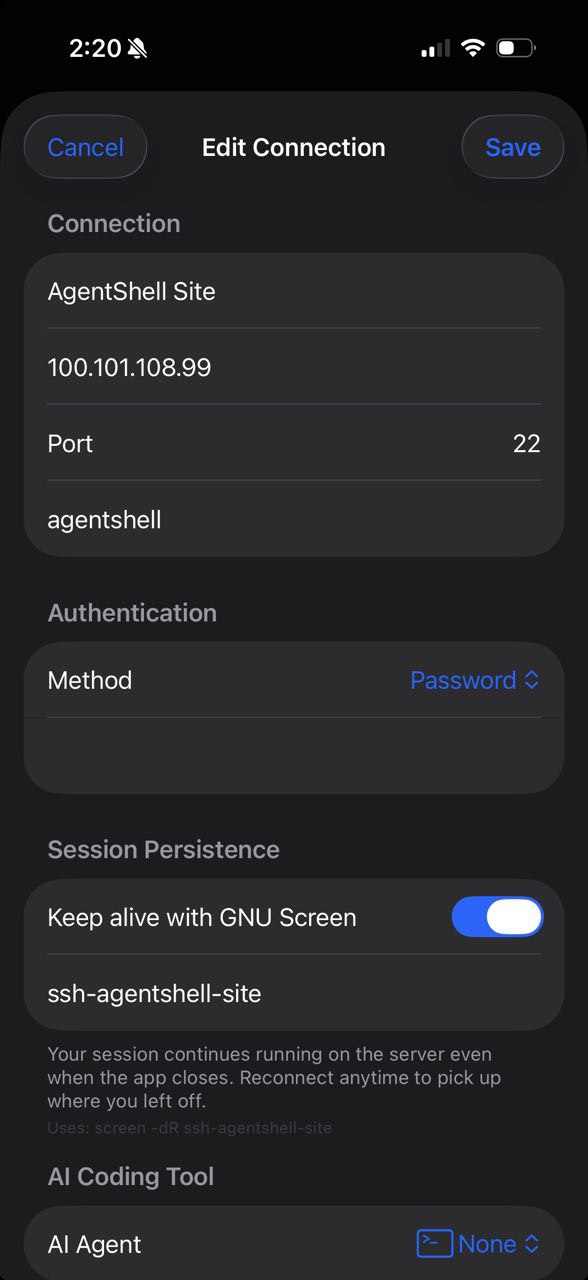
Open AgentShell and tap the + button to create a new connection. Fill in the details:
- Hostname: Your machine's Tailscale name (e.g.
dev-laptop) or its Tailscale IP (e.g.100.x.y.z) - Username: Your login user on the remote machine
- Port: 22
- Authentication: None (Tailscale SSH handles auth)
You can find your machine's Tailscale name by running tailscale status on either device.
Connect and use
Tap the connection to open a terminal session. You're in.
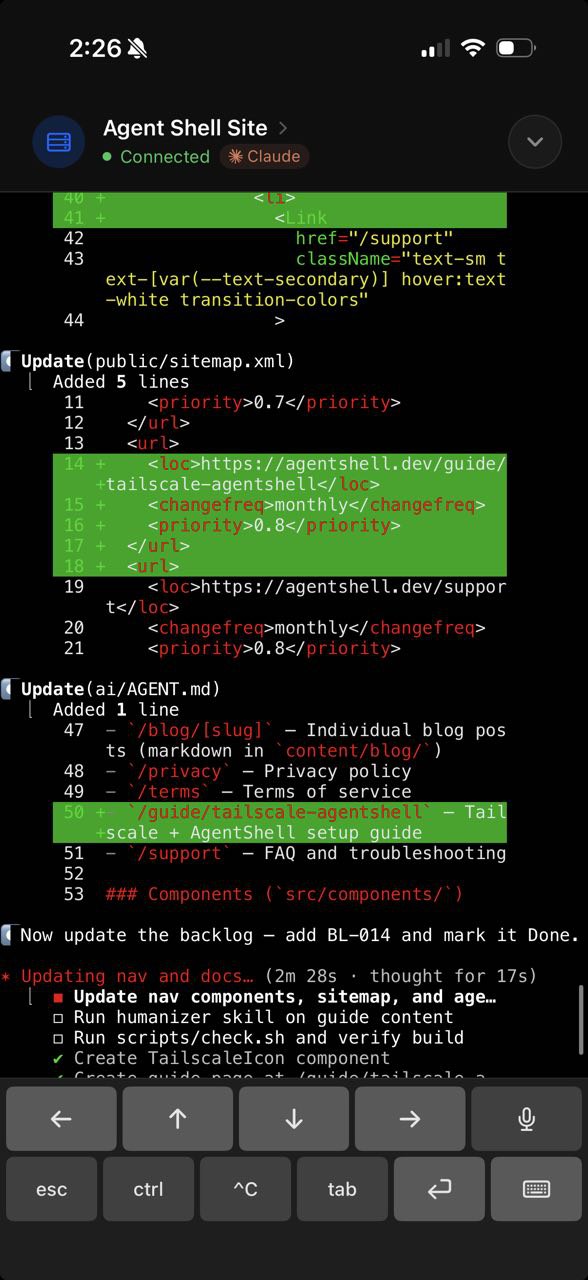
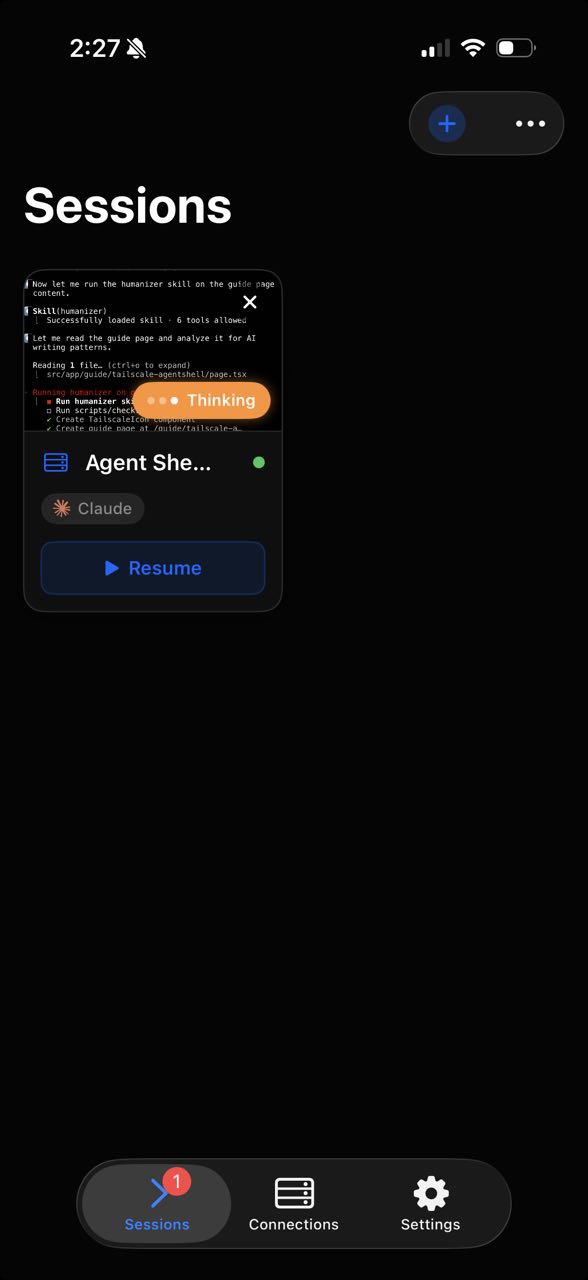
Start an AI coding agent and AgentShell picks it up automatically. The terminal toolbar shows the agent's current state, and if you switch away from the app, a Live Activity on your Lock Screen tells you whether it's still working or waiting for input.
Ready to go?
Download AgentShell and connect to your first machine.